BlogImage Formats

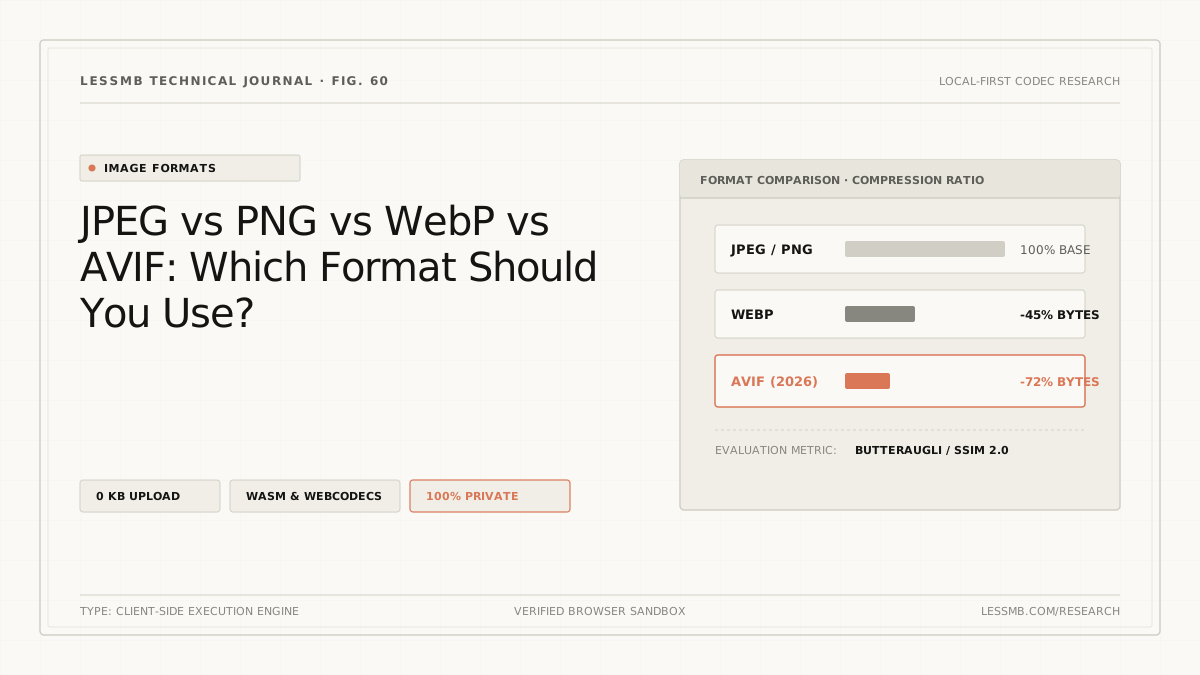
JPEG vs PNG vs WebP vs AVIF: Which Format Should You Use in 2026?

A practical 2026 comparison of JPEG, PNG, WebP and AVIF for the web. Learn which image format to use for photos, screenshots, transparency, animation, and HDR, with real browser support numbers, file size benchmarks, and a copy-paste <picture> fallback pattern.

Updated: June 4, 2026

Short answer: Use AVIF as your default lossy format for photos, complex illustrations, and HDR content. Use WebP as the universal fallback and for lossless graphics. Keep PNG for line art, screenshots, and UI assets where pixel-perfect transparency matters. Keep JPEG only for legacy compatibility, email, or print pipelines. Serve modern formats with a <picture> element and a JPEG/PNG fallback, and your images will be 30 to 50 percent smaller with no visible quality loss.

Key Takeaways

  • AVIF is the smallest at equivalent quality, typically 50 percent smaller than JPEG and 20 to 35 percent smaller than WebP. The trade-off is encoding speed and the lack of progressive rendering.
  • WebP is the safest modern format: about 96 percent global browser support in 2026, faster encoding and decoding than AVIF, and works well for both lossy and lossless. Use it as the universal fallback.
  • JPEG and PNG are not dead. JPEG still wins where you need maximum compatibility (email, Office documents, some social platforms). PNG is still the cleanest path for crisp line art, screenshots, and full 8-bit alpha transparency.
  • The browser support gap has closed. All evergreen browsers (Chrome, Edge, Firefox, Safari 16+, Opera) support both WebP and AVIF. Legacy Safari 14 and 15 plus Internet Explorer are the only meaningful holdouts.
  • Always serve a fallback. Use the <picture> element with image/avif, image/webp, and a JPEG or PNG <img> so unsupported browsers still render something.
  • Pick by content, not by file extension. Photographs go to AVIF. Simple icons and logos go to SVG or WebP lossless. Screenshots go to PNG or WebP lossless. Animations go to AVIF or WebP. The decision is content-driven.
  • Do not trust the extension to pick the right format for you. A 1 KB logo deserves SVG. A 2 MB hero photo deserves AVIF. The decision is about the content, not the file name.

The 30-Second Format Decision Table

If you only have time to read one table, this is it.

Use caseBest formatWhyFallback
Hero photo, product image, blog bannerAVIF (quality 60 to 75)About 50 percent smaller than JPEG, smoother gradientsWebP, then JPEG
Photo gallery or portfolioAVIFSmallest payload at SSIM-equivalent qualityWebP, then JPEG
Logo, icon, simple line artSVG (vector) or WebP losslessCrisp at any size; WebP lossless beats PNG by about 26 percentPNG
UI screenshot, software mockupWebP lossless or PNGPixel-perfect text and sharp edgesPNG
Transparent PNG replacement (UI assets)WebP or AVIFBoth support alpha; AVIF is more efficient at 10/12-bitPNG
Animation (formerly GIF)AVIF animation or WebP animation80 to 95 percent smaller than GIF, full colorGIF
HDR or wide gamut photographyAVIF10/12-bit color, HDR, wide gamut (WebP maxes at 8-bit)JPEG XL or JPEG
Email newsletter attachmentJPEG (photos) or PNG (graphics)Many email clients still choke on WebP and AVIFn/a
Print or archival masterTIFF or PNGLossless, full color depth, software-agnosticn/a
Legacy browser support (IE, old Safari)JPEG or PNGUniversal rendering since 1992 and 1996n/a
Social media uploadMatch the platform's re-encode (most strip metadata anyway)Uploading AVIF often gets re-encoded to JPEGn/a

What Each Format Actually Does

Before picking a winner for a specific asset, it helps to know what each format is for. Most of the confusion in 2026 comes from people treating these formats as interchangeable. They are not.

JPEG (Joint Photographic Experts Group, 1992)

JPEG is a lossy format built around the Discrete Cosine Transform. It excels at photographs because human eyes are forgiving of compression artifacts on natural gradients, but it falls apart on sharp edges, text, and flat-color graphics. It supports 8-bit color only, no transparency, and no animation. Progressive JPEG can render a low-resolution preview while the rest downloads, which is one of the few modern features it still has.

JPEG is the lowest-common-denominator format in 2026. Every browser, every OS, every email client, every camera, and every social platform reads it. That universal compatibility is its only remaining advantage.

PNG (Portable Network Graphics, 1996)

PNG is a lossless format. It supports up to 24-bit color (plus 8-bit alpha for a 32-bit RGBA total), indexed palettes for tiny files, and a true 1-bit alpha channel that lets you have sharp, fully transparent edges. PNG is the right choice whenever you cannot tolerate even minor compression artifacts: screenshots, UI mockups, line art, and icons with crisp edges.

The downside is file size. A 1920x1080 PNG screenshot of a typical web page can easily be 1 to 3 MB. There is no way around this because PNG's compression is lossless.

WebP (Google, 2010)

WebP is a dual-mode format: it has both a lossy mode (based on the VP8 video codec) and a lossless mode (based on techniques related to VP8L and Zopfli). It also supports animation, an 8-bit alpha channel, and ICC color profiles.

Google's own published study shows:

  • Lossy WebP images are 25 to 34 percent smaller than equivalent-quality JPEGs.
  • Lossless WebP images are about 26 percent smaller than equivalent PNGs.

WebP is the format that made "modern web image" a mainstream concept. In 2026 it is supported by every major browser (Chrome, Edge, Firefox, Safari since 14, and Opera) and the only meaningful holdout is Internet Explorer, which is functionally dead.

AVIF (Alliance for Open Media, 2019)

AVIF is the youngest of the four. It wraps AV1 video codec frames inside the HEIF container, which means it inherits a decade of video compression research. It supports:

  • 8-bit, 10-bit, and 12-bit color depth (compared to 8-bit max for WebP and JPEG)
  • Wide color gamuts (Display P3, Rec. 2020)
  • HDR (PQ and HLG transfer functions)
  • Lossless and lossy compression
  • Alpha channel transparency
  • Image sequences and animation

In real benchmarks, AVIF is consistently 20 to 35 percent smaller than WebP at the same perceptual quality, and roughly 50 percent smaller than JPEG. The trade-offs are encoding speed (AVIF can be 10 to 100 times slower to encode than WebP, depending on settings) and the lack of progressive rendering support in the spec.

Compression Efficiency: The Numbers That Actually Matter

The "X percent smaller" claims in marketing copy are vague. Here are the real numbers from independent benchmarks, as of 2025 and 2026.

ComparisonTypical savingsSource
AVIF lossy vs JPEG (equivalent SSIM)About 50 percent smallerCTRL Blog, MDN
AVIF lossy vs WebP lossy (equivalent SSIM)20 to 35 percent smallerSpeedVitals, Cloudinary
WebP lossy vs JPEG (equivalent SSIM)25 to 34 percent smallerGoogle WebP study
WebP lossless vs PNG (identical pixels)About 26 percent smallerGoogle WebP study
AVIF animation vs GIF80 to 95 percent smallerAVIF community benchmarks
AVIF vs JPEG XL (mid to high bitrate photos)JPEG XL is about 10 to 15 percent smaller; AVIF is faster to decodeDebugBear, Cloudinary

The pattern is consistent: at the same perceptual quality, AVIF is the smallest, WebP is the runner-up, and JPEG is the largest. The penalty for using AVIF is encode time, not file size.

A subtle but important detail from the SpeedVitals test: for non-photographic content like simple logos and flat illustrations, WebP lossless can be 35 percent smaller than AVIF at the same quality. The AVIF codec, designed for natural images, is less efficient on synthetic graphics. So the "AVIF is always smaller" rule has a real exception.

Browser Support in 2026

Browser support is no longer the deciding factor it was in 2022, but the gap still matters for the long tail of users.

FormatChrome / EdgeFirefoxSafariGlobal support (caniuse)
JPEGSince v1Since v1Since v1About 100 percent
PNGSince v1Since v1Since v1About 100 percent
WebPSince 32 (full)Since 65 (2019)Since 14 (2020)About 96 percent
AVIFSince 85 (2020)Since 93 (2021)Since 16 (2022)About 93 to 94 percent
JPEG XLBehind flag in 145 (2026)Behind flag in NightlySince 17 (partial)About 12 percent growing

The pragmatic read in 2026:

  • WebP is safe to use unconditionally for the public web. The 4 percent gap is mostly IE and a small slice of embedded browsers in old devices.
  • AVIF is safe to use as the primary format with a fallback. Every browser that does not support AVIF supports WebP or JPEG. You will not break anyone's experience.
  • JPEG XL is interesting but not yet production-ready. Chrome 145 ships the decoder behind chrome://flags/#enable-jxl-image-format in February 2026, Firefox is still Nightly only, and Safari support is partial (no animation, no progressive). Treat it as something to watch, not something to ship.

If you target only evergreen browsers, you can serve AVIF to everyone. If you need to support IE 11 or very old Safari, the <picture> fallback strategy covered below handles it automatically.

When to Use Each Format (Real Scenarios)

The format decision is content-driven. Here are the patterns that work in production.

Photographs, product shots, hero images

Use AVIF at quality 60 to 75 for lossy. At these settings, the file is roughly half the size of a JPEG at the same visible quality, and gradients in skies, skin, and fabric stay smooth. Use WebP at quality 75 to 85 as a fallback. Use JPEG at quality 80 to 90 as the last-resort fallback.

Reserve JPEG-only delivery for: email (Gmail strips WebP from many clients), Office documents, or systems where you cannot control the <picture> markup (some CMS plugins, some ad networks).

UI assets, icons, illustrations with transparency

Use WebP lossless for anything that must be pixel-identical to the source. It is 26 percent smaller than PNG, supports full alpha, and is supported by every browser. Use PNG as a fallback for IE and very old browsers.

For logos and icons, prefer SVG if you have the vector source. An SVG icon is often 1 to 5 KB versus 5 to 30 KB for a comparable PNG. For rasterized logos (from a designer in Photoshop), use WebP lossless.

Screenshots and software mockups

Screenshots are dominated by text, sharp edges, and flat colors. Lossy compression creates ringing and color banding on text. Use WebP lossless or PNG. The 26 percent savings from WebP lossless over PNG is usually worth it. PNG is the fallback.

Animation

Stop using GIF. A 5-second 640x360 GIF can be 30 to 80 MB; the same loop in AVIF animation is often 2 to 8 MB, and in WebP animation is 5 to 20 MB. Both are supported across all evergreen browsers.

If the animation needs to be embedded in PowerPoint, social posts, or environments that do not support either, you have to keep GIF. Otherwise, the byte savings are too large to ignore.

HDR photography and wide-color content

AVIF is the only one of the four with first-class HDR support. WebP maxes at 8-bit color, JPEG maxes at 8-bit, and PNG maxes at 8-bit per channel. If you are shooting and editing in HDR (modern iPhones, Sony A7 IV, etc.) and you want to preserve that range in the delivered image, AVIF (or JPEG XL, once support is wider) is the only correct choice in this list.

For SDR photos that just need to look good on standard displays, this is not a concern and the size comparison above applies.

Print masters and archival

This is the one place where none of the four are ideal. For long-term archival, use TIFF (16-bit per channel) or a master PNG (8-bit per channel). These are lossless, software-agnostic, and supported by every image editor. AVIF and WebP are delivery formats, not archival formats. They are optimized for display, not preservation.

How to Serve AVIF and WebP With a Fallback

Serving the right format to each browser is straightforward with the HTML <picture> element. The browser walks the sources in order, picks the first one it can decode, and uses the inner <img> as the final fallback.

<picture>
  <source
    srcset="/img/hero.avif 1x, /img/hero@2x.avif 2x"
    type="image/avif">
  <source
    srcset="/img/hero.webp 1x, /img/hero@2x.webp 2x"
    type="image/webp">
  <img
    src="/img/hero.jpg"
    srcset="/img/hero.jpg 1x, /img/hero@2x.jpg 2x"
    alt="Sunset over the harbor"
    width="1920" height="1080"
    loading="lazy" decoding="async">
</picture>

A few rules:

  1. Always set width and height on the <img>. Without them, browsers cannot reserve space and you will get layout shift (CLS regression).
  2. Put the most efficient format first. Modern browsers will pick AVIF and ignore the rest. Old browsers will skip it and try WebP. The final fallback to JPEG lives inside <img>.
  3. Pair with srcset for responsive sizing. Do not deliver a 4K image to a 400px phone screen. Combine format negotiation (<source type>) with size negotiation (srcset plus sizes).
  4. Do not forget alt. This is GEO and accessibility, not just SEO.

For server-side content negotiation, you can also use the Accept header:

Accept: image/avif, image/webp, image/jpeg, */*

and serve a single URL. Tools like Cloudflare Images, Cloudinary, ImageKit, and most modern CDNs do this automatically.

If you need to convert existing assets without installing a build pipeline, LessMB can convert JPG, PNG, WebP, AVIF and other supported formats to WebP, AVIF or JPG in the browser, with no upload.

The Two Edge Cases Most People Miss

Progressive rendering

JPEG can stream a low-resolution preview that becomes sharper as the rest of the file loads. WebP supports incremental decoding (sometimes called "progressive" in the WebP context). AVIF does not support progressive rendering in the spec. The decoder needs the full file before it can show anything.

In practice, this means:

  • A large AVIF hero image on a slow connection shows a blank box longer than a comparable progressive JPEG would.
  • For LCP (Largest Contentful Paint) optimization, an AVIF can lose to a smaller WebP if the user is on a slow network, because transfer plus decode time is longer.
  • The fix is usually to serve a smaller AVIF aggressively (use a srcset entry aimed at the LCP candidate) and to preload it with <link rel="preload" as="image" imagesrcset="…" imagesizes="…">.

Animation framerate and seek performance

AVIF animation decodes the entire image sequence on first frame, which can be slow for long animations. WebP animation uses frame differencing, which is faster for many small frames. For a 2-second loading spinner, this is irrelevant. For a 30-second product demo, it matters. Test before you commit.

Common Mistakes That Break the Savings

Even after picking the right format, it is easy to leave 30 to 50 percent of the savings on the table. Watch out for these.

  1. Re-encoding a JPEG to AVIF instead of re-encoding the original. A photo originally exported from a RAW file, then saved as JPEG at quality 85, then re-saved as AVIF will never be as clean as a direct RAW to AVIF export. Always re-encode from the highest-quality master you have.
  2. Using AVIF for icons and logos. Synthetic graphics compress better in WebP lossless or PNG. AVIF is optimized for natural images.
  3. Forgetting to strip metadata. EXIF, IPTC, and XMP can add 50 to 500 KB per photo. Most encoders strip by default, but verify with exiftool or your build pipeline.
  4. Serving the same huge image to mobile and desktop. Always pair format negotiation with responsive sizing via srcset and sizes.
  5. Picking quality settings by file size, not by visual diff. The right AVIF quality for a 4K product photo is different from the right quality for a 200x200 thumbnail. Use Squoosh or similar to do a side-by-side at the actual display size.
  6. Not testing on real devices. An AVIF that decodes fine on a MacBook Pro M3 can stutter on a low-end Android. Always check LCP on a throttled 4G profile with a mid-tier phone.
  7. Trusting CDN "auto" features without checking. Most image CDNs default to safe settings (WebP only, quality 75). You often need to explicitly enable AVIF and tune quality for your content.

Decision Framework: Pick a Format in 30 Seconds

If you are short on time, run through these four questions in order.

1. Is the image a photograph or a complex gradient-heavy graphic?

  • Yes -> AVIF (quality 60 to 75 lossy)
  • No -> go to step 2

2. Does it need pixel-perfect transparency, sharp edges, or to be lossless?

  • Yes -> WebP lossless (or PNG if you need IE support)
  • No -> go to step 3

3. Is it an animation?

  • Yes -> AVIF animation for maximum savings, WebP animation for maximum compatibility
  • No -> go to step 4

4. Is it going somewhere that requires maximum compatibility (email, Office, social upload, IE 11)?

  • Yes -> JPEG for photos, PNG for graphics
  • No -> you are already serving AVIF or WebP with a fallback. You are done.

For 95 percent of the web, the answer is "AVIF plus WebP plus JPEG fallback" for photos, and "WebP lossless plus PNG fallback" for everything else.

Tools to Convert and Test

A few reliable tools, all free.

ToolWhat it doesBest for
Squoosh (web app)Side-by-side visual diff, per-image format and quality tuningOne-off conversions, learning the trade-offs
cwebp (CLI)Google's WebP encoderBuild pipelines, batch WebP
avifenc (CLI, libavif)Reference AVIF encoderBuild pipelines, batch AVIF
sharp (Node.js)Fast image pipeline, supports both formatsServer-side conversion in JS apps
ImageMagick 7Universal converterQuick CLI conversions
parallel conversion (find … -print0 | xargs -0 -P8 cwebp)Parallel batch conversionConverting a whole image library
Chrome DevTools -> Network -> ImgSee which format was actually servedVerifying the <picture> element works
WebPageTest / LighthouseMeasure LCP impact after format changeBefore/after performance validation

A practical build step looks like this in most modern frameworks:

# From a master JPEG/PNG, generate all three formats
cwebp -q 80 master.jpg -o public/img/hero.webp
avifenc --quality 65 master.jpg public/img/hero.avif
# Keep master.jpg as the fallback

Sharp in Node:

await sharp('master.jpg')
  .webp({ quality: 80 })
  .toFile('public/img/hero.webp');

await sharp('master.jpg')
  .avif({ quality: 65, effort: 4 })
  .toFile('public/img/hero.avif');

effort: 4 is a good balance between encode time and file size. effort: 0 is fastest but produces larger files; effort: 10 is the smallest but very slow.

Frequently Asked Questions

Is AVIF better than WebP?

For file size, yes. AVIF is 20 to 35 percent smaller than WebP at equivalent perceptual quality, and roughly 50 percent smaller than JPEG. For decoding speed, browser support and simplicity, WebP wins. The best production answer is to serve AVIF first, fall back to WebP, fall back to JPEG. You get AVIF's compression where supported and WebP's flexibility everywhere else.

Should I delete all my JPEGs and PNGs?

No. Keep your masters (the original highest-quality exports, ideally as RAW or PSD) and regenerate modern formats from them. The JPEG and PNG files you already have can stay as the final fallback inside <picture>. There is no reason to delete working assets.

Does AVIF work in Safari?

Yes. Safari 16 (released September 2022) and later support AVIF, including on iOS. Safari 15 and earlier do not, which is why a WebP or JPEG fallback matters.

Is WebP lossless actually lossless?

Yes. Lossless WebP uses a true lossless codec (based on VP8L and entropy coding) and produces bit-identical output to the source PNG. Google's compression study showed 26 percent smaller files at identical pixel output.

What about JPEG XL? Should I use it?

Not yet for production. Chrome 145 (February 2026) reintroduced the JPEG XL decoder behind a flag. Firefox is still Nightly only. Safari 17 supports it but only partially (no animation, no progressive decoding). Effective global support is around 12 percent. JPEG XL is technically excellent: 50 to 60 percent smaller than JPEG, true progressive decoding, lossless JPEG transcoding. But the browser landscape is not ready. Watch it. Do not ship it.

Can I use AVIF for transparent backgrounds?

Yes. AVIF supports a full alpha channel, including 10-bit and 12-bit alpha. For most use cases, the alpha is more efficient in AVIF than in WebP. Both beat PNG for transparent images.

Why does my AVIF file look blurry?

Almost always one of three causes: (1) the quality setting is too low (below 50 is rarely acceptable), (2) you are re-encoding a low-quality JPEG, or (3) the decoder on the test device is buggy (older Safari versions had known AVIF rendering issues). Use Squoosh to visually compare against the original at the same display size.

Does Google Image Search prefer AVIF?

Google Image Search can index AVIF and WebP, and using either format is correlated with better Core Web Vitals (especially LCP) because of the smaller payloads. The ranking effect is indirect: you rank better because the page is faster, not because Google gives AVIF a specific boost.

Should I use AVIF or WebP for favicons and small icons?

For anything under about 1 KB, the difference is negligible. Prefer SVG for icons (it scales, and is typically 1 to 5 KB). For raster icons, PNG is fine. The savings from WebP or AVIF on a 1 KB file are not worth the added complexity.

Will AVIF replace JPEG eventually?

Probably, on the open web. AVIF has the better codec, is royalty-free, and is on its way to being supported in every major browser. The transition is slower than WebP's was, because the encoding tools are newer and the savings on already-compressed JPEG content are smaller. Expect AVIF (or its successor, possibly JPEG XL once Chromium ships it enabled) to be the dominant lossy web format by 2028 to 2030.

References and Source Notes

  1. MDN — Image file type and format guide. "Image file type and format guide." Last updated April 2026. The reference baseline for format capabilities and browser support. https://developer.mozilla.org/en-US/docs/Web/Media/Guides/Formats/Image_types
  2. caniuse — AVIF support table. Live browser support data for AVIF across desktop and mobile browsers. https://caniuse.com/AVIF
  3. caniuse — WebP support table. Live browser support data for WebP. https://caniuse.com/webp
  4. SpeedVitals — WebP vs AVIF: Which is better in 2025? Independent benchmark with DSSIM comparison across photographic and non-photographic content. https://speedvitals.com/blog/webp-vs-avif/
  5. Crystallize — AVIF vs. WebP: Speed, Quality, and Browser Support. Updated June 2025. Practical comparison and <picture> fallback patterns. https://crystallize.com/blog/avif-vs-webp
  6. Cloudinary — AVIF vs. WebP: 4 Key Differences and How to Choose. Updated November 2025. Cloudinary's image-handling perspective. https://cloudinary.com/guides/image-formats/avif-vs-webp-4-key-differences-and-how-to-choose
  7. CTRL Blog — Comparing AVIF vs WebP file sizes at the same DSSIM. The original large-sample compression benchmark, used by MDN and others. https://www.ctrl.blog/entry/webp-avif-comparison.html
  8. Google — WebP Compression Study. "An image format for the Web." The reference numbers for WebP vs JPEG (25 to 34 percent) and WebP vs PNG (26 percent). https://developers.google.com/speed/webp
  9. DebugBear — How to Serve Images in Next-Gen Formats. Updated February 2026. Core Web Vitals-focused guidance. https://www.debugbear.com/blog/image-formats
  10. corewebvitals.io — JPEG XL and Core Web Vitals. "After three years of controversy, JPEG XL has returned to Chromium." Updated March 2026. https://www.corewebvitals.io/pagespeed/jpeg-xl-core-web-vitals-support
  11. Phoronix — Google Chrome 145 Released With JPEG-XL Image Support. February 2026. https://www.phoronix.com/news/Chrome-145-Released
  12. Tinify — Pros and Cons of WebP Images: 2026 Update. Updated April 2026. https://tinify.com/blog/pros-and-cons-of-webp-images-2026-update
  13. Cloudinary — JPEG XL support documentation. For Cloudinary customers, JXL is available as a delivery format today. https://cloudinary.com/

Final Recommendation (TL;DR)

If you do nothing else, do this:

  1. Convert your hero images, product photos, and large blog graphics to AVIF at quality 60 to 75. Use WebP at quality 75 to 85 as the fallback. Keep the original JPEG or PNG as the last-resort fallback.
  2. Convert icons, screenshots, and lossless graphics to WebP lossless. Keep PNG as the fallback.
  3. Wrap every modern format with a <picture> element that has an <img> fallback to a JPEG or PNG.
  4. Test LCP and CLS on a throttled 4G profile before and after the migration. You should see a 20 to 40 percent reduction in LCP image load time and no layout shift.
  5. Re-evaluate in 12 months. JPEG XL is coming back to Chrome. Once it ships enabled by default, expect another round of conversion. AVIF and WebP are not the final answer. They are the current best answer.

The image format wars are not over, but the practical answer for 2026 is clear: AVIF first, WebP second, JPEG and PNG as universal fallbacks. Ship it.