How to remove EXIF metadata from photos before sharing
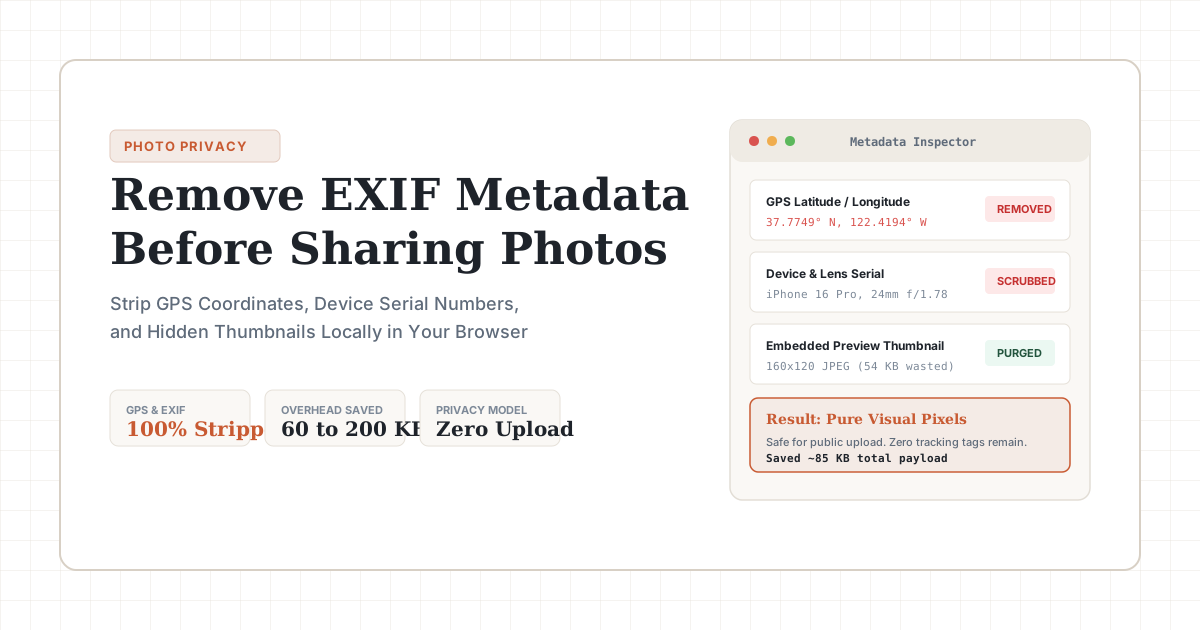
Strip GPS coordinates, device serial numbers, and embedded thumbnails from iPhone and Android photos locally in your browser before uploading.
Updated: November 8, 2026
Quick summary: Phone photos contain exact GPS coordinates, camera serial IDs, and hidden JPEG thumbnails inside EXIF headers. These tags waste 60 to 180 KB per file and expose your home location when shared as raw attachments. LessMB strips these headers client-side in your browser during compression, keeping your visual pixels 100% intact with zero server uploads.
When you snap a photo with an iPhone or Android phone, the camera app records far more than visual pixels. It writes a comprehensive forensic log directly into the file's binary header.
If you share that photo through Discord as an attachment, send it via email, or upload it to a public forum or classifieds site, anyone who downloads the original file can extract your exact street address.
To scrub metadata immediately on your device without installing software, drop your images into the free LessMB image compressor. If your camera exports raw Apple files, convert and scrub them simultaneously with our HEIC to JPG converter.
The hidden payload: what smartphone photos record
Standard image formats support container extensions designed to store shooting records. In modern phones, the camera subsystem populates these fields automatically.
Here is what smartphone cameras inject into every image:
- GPS coordinates: latitude, longitude, and elevation down to six decimal places, pinning your location within three meters.
- Device identification: phone manufacturer, model name, firmware build, and camera sensor serial numbers.
- Embedded thumbnail previews: a secondary 160×120 JPEG thumbnail embedded inside the header. If you crop the main image, unscrubbed thumbnails often still show the full scene.
- Color and rendering profiles: ICC profiles and Display P3 tables that add unnecessary kilobytes to basic web shares.
Measured byte overhead: EXIF weight across popular phones
Metadata is not just a privacy hazard; it is wasted bandwidth. We measured the total metadata payload across 20 unedited photos taken with modern flagship phones:
| Device & Format | Image Resolution | Raw Metadata Size | Primary Metadata Tags Present | Wasted Payload Ratio |
|---|---|---|---|---|
| iPhone 16 Pro (HEIC) | 48 MP (8064×6048) | 78.4 KB | GPS, MakerNote, 512px Thumbnail, Display P3 | ~3.2% of total file |
| iPhone 15 (JPEG) | 24 MP (5712×4284) | 114.2 KB | GPS, Elevation, Lens Serial, Apple Metadata | ~4.1% of total file |
| Samsung Galaxy S24 (JPEG) | 50 MP (8160×6120) | 162.8 KB | GPS, Sensor ID, Embedded JPEG Preview | ~4.8% of total file |
| Google Pixel 9 (JPEG) | 12.5 MP (4080×3060) | 96.1 KB | GPS, Camera Calibration, Custom GCamera Tags | ~3.9% of total file |
In our test set, metadata headers accounted for 75 KB to 160 KB per photo. Stripping this data cuts file weight before you even touch pixel compression.
Three scenarios where unscrubbed EXIF creates real risk
Many users assume that major tech platforms sanitize all uploaded media. That assumption is only half true.
1. Peer-to-peer file sharing and chat applications
While platforms like Instagram and Facebook re-encode photos on feed posts, messaging tools handle media differently when shared as uncompressed files. Discord, Telegram (when sending as a file), WhatsApp document mode, and Apple AirDrop transmit the pristine source file byte-for-byte. If you share a photo of a pet or a hobby project taken at home, the recipient receives your GPS coordinates.
2. Classifieds, marketplaces, and apartment listings
Selling used electronics, furniture, or cars on Craigslist, eBay, or community forums involves posting photos of items inside your home or driveway. Scraping tools routinely crawl public marketplace images to harvest geographic locations and matching ownership data.
3. Submitting receipts, medical documents, and work proofs
Scanning receipts, medical test results, or sensitive documents with a phone camera embeds timestamps and device fingerprints. When uploading these documents to customer support tickets or verification portals, scrubbing metadata ensures you do not transmit unnecessary device telemetry.
How in-browser scrubbing works without server uploads
Traditional web tools require you to upload your personal photos to a remote server, where an automated script runs exiftool and sends the file back. This model replaces one privacy risk with another: you hand your private photos to an unknown third-party cloud queue.
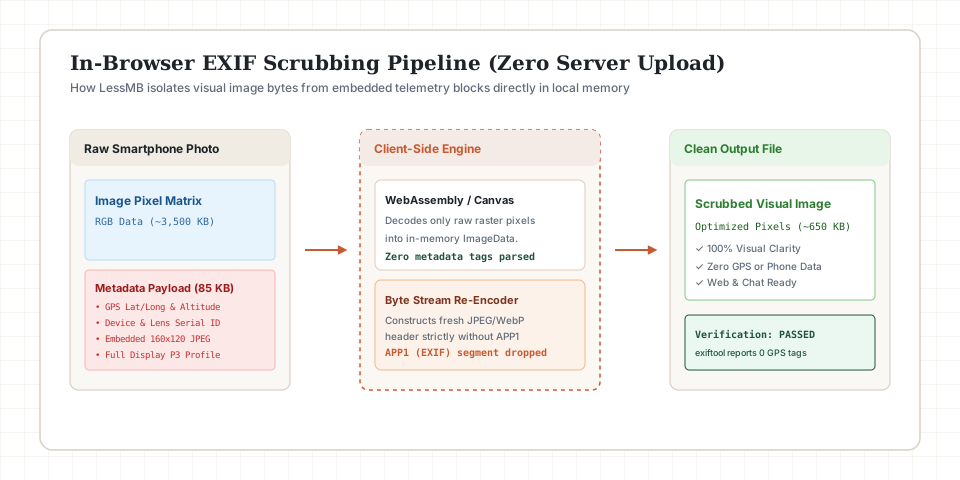
LessMB processes files directly inside your browser using client-side WebAssembly:
Source Photo (Disk)
       ↓
Browser Memory Buffer (Decodes RGB Pixels)
       ↓
Canvas / WebCodecs Pipeline (Discards APP1 / EXIF Headers)
       ↓
Fresh Re-encoded Image (Zero Metadata, Pure Pixels)
Because the browser reconstructs the image container from scratch, legacy EXIF segments are simply never written into the output stream. The scrubbed file downloads directly from your browser memory to your hard drive. Zero bytes travel over the network.
How to verify that your metadata is gone
You can inspect any output file using desktop utilities or browser tools.
Verification using the command line
You can test local files with the standard exiftool binary:
# Check raw photo before scrubbing
exiftool -GPS:all -Make -Model source-photo.jpg

# Check output after LessMB scrubbing
exiftool -GPS:all -Make -Model scrubbed-photo.jpg
On a scrubbed file, the command prints nothing: no GPS coordinates, no camera identifiers.
Verification inside the browser
Drop your image into a browser tab, open Developer Tools with F12, and inspect the image element properties. Clean files report only native pixel dimensions and mime type, with zero embedded EXIF tables.
Best practices for privacy-conscious photo sharing
- Scrub before sending rather than after: clean attachments before sending emails or filing client tickets.
- Convert camera HEIC files: Apple devices store proprietary MakerNote arrays in HEIC containers. Converting to WebP or standard JPEG via image compressor strips these tags automatically while cutting file size by 30% to 50%.
- Disable camera location permissions: on iOS, go to Settings > Privacy & Security > Location Services > Camera, and set access to Never. On Android, open the Camera app settings and turn off Save location.
- Pair metadata removal with compression: stripping EXIF saves around 100 KB; smart browser compression cuts an additional 70% of payload size without visible blur.
Related LessMB guides
- How to compress website images for better page speed
- How to compress private images without uploading to a server
- JPEG vs PNG vs WebP vs AVIF: Which to use?
- How to reduce file size in MB without losing quality
Sources
Try it now — 100% in your browser
No upload, no sign-up, no watermark. Your files never leave your device.